


Dear AI, that’s not a map
AI has officially found its way into Mapcreator. But this is not about asking AI to generate an image that happens to look like a map.
The Mapcreator AI Assistant builds and updates maps from a plain instruction. You describe the map you want, it makes it, and you carry on editing it.
Because there is a fairly big difference between asking AI to generate something that looks like a map, and using AI to help build an actual one. Naturally, we are much more interested in the latter.
A mapping assistant, not an AI map generator
Ask a general-purpose AI image generator to create a map and the result can look surprisingly convincing.
Until you look at it.
Labels might be invented. Cities can wander. Roads occasionally develop a questionable relationship with geography. And coastlines may receive a redesign nobody asked for.
That is understandable. An image generator tries to create something that looks right, based on existing images and patterns it derives from them. It is not necessarily trying to build geographically accurate information that you can continue working with.
For plenty of creative tasks, that is fine. For mapping, it is a bit of a problem.
A route should be a route, not a line-shaped suggestion. A location should actually exist where the marker says it does.
Generic AI can make a pretty picture of a map. Mapcreator AI helps you make an accurate, editable map.
That difference is at the heart of how we approached AI in Mapcreator.
From prompt to accurate, editable map
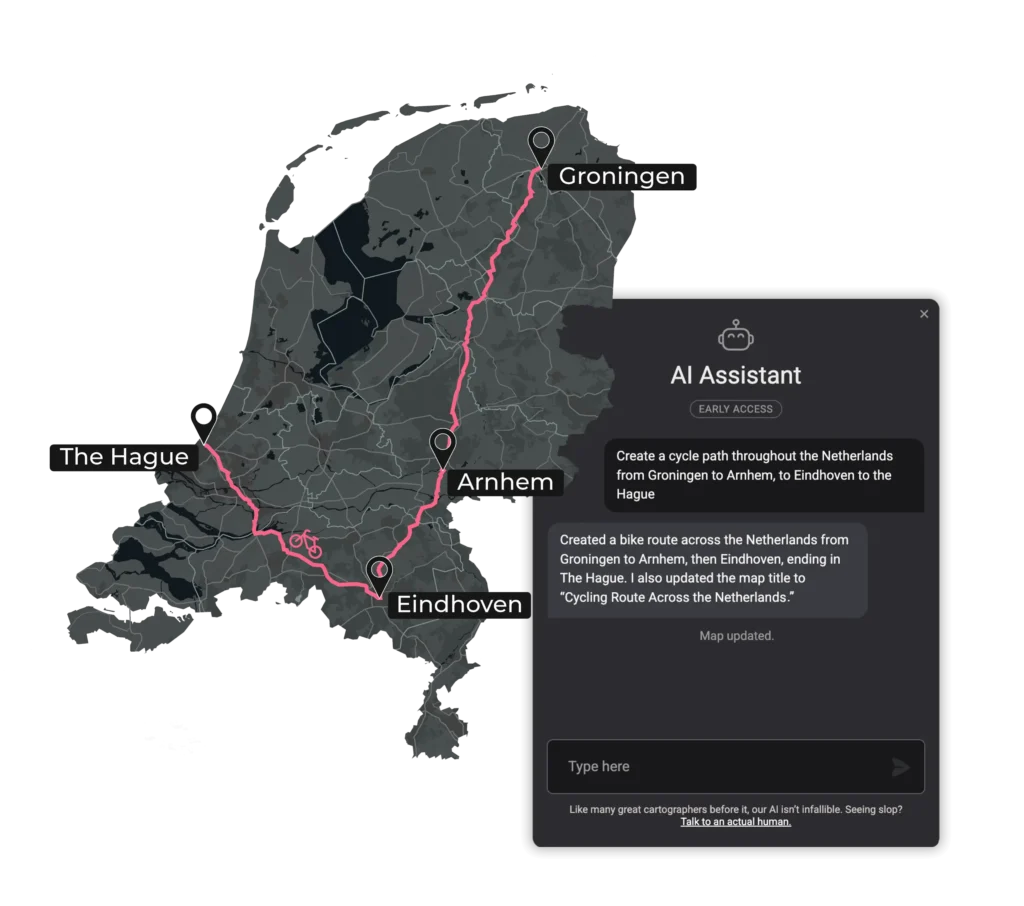
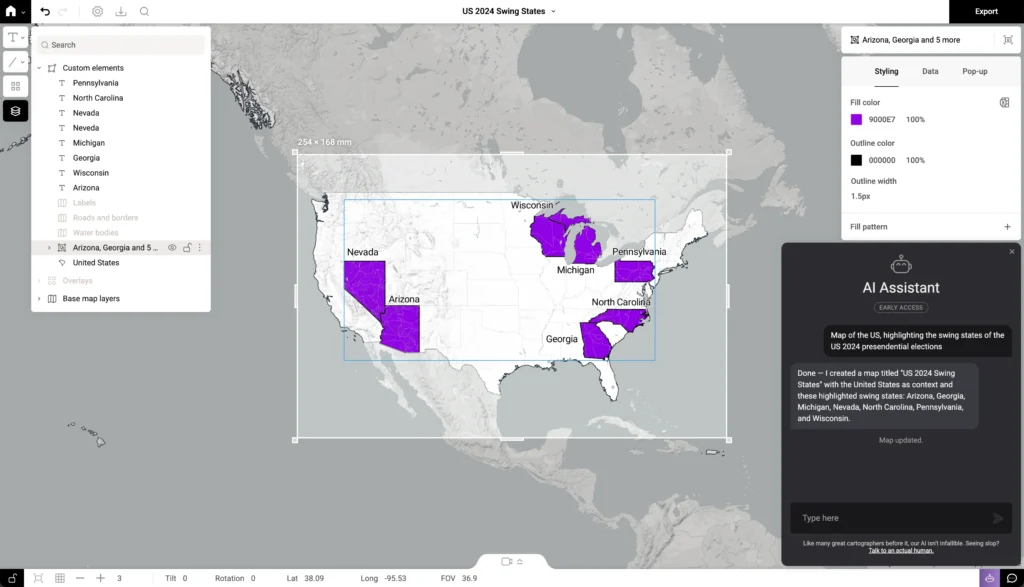
Using the AI Assistant starts pretty much where you would expect: you tell it what you want to show. From there, it works out what belongs on the map and starts building it for you. That could mean placing a series of points, highlighting an administrative area, creating a route with the right travel profile, or adding pop-ups. It can even set up map animations for you, automatically creating the keyframes needed to follow a route, reveal locations one by one or zoom from a country into a specific area.
For example, ask it to “show 8 well-known castles in Scotland” and it can place the locations for you. Ask for a “cycling route from Rotterdam to The Hague via Delft” and it can build the route with cycling as the travel profile. Or tell it to “create an animated locator map that zooms to Alabama” and it can turn that idea into an animated map.
The useful part is that the prompt is only the beginning. If you then decide you want another location, a different route or a change to the map, you can just ask again. The Assistant looks at the map you already have and updates what you asked it to change, rather than rebuilding everything from scratch. Unless you tell it to.
And once the first version is there, it is still a normal Mapcreator project. You can change the styling, adjust labels, move things around and continue editing it yourself. And that is really the point: AI does the setup. You stay in control of the map.
Better prompts make better maps
Using AI well is about learning how to ask for what you actually need.
Luckily, map prompts do not need to read like code.
Let’s take a route as an example:
“Show Paris and Lyon” is vague.
“Create a driving route from Paris to Lyon” is clearer.
“Create a driving route from Paris to Lyon, avoiding toll roads” gives the Assistant much more to work with.
As the Assistant develops, we also want to share more examples of what makes a useful prompt.
Consider it a new kind of map literacy. Cartographers have learned more complicated things than prompting, so you got this too.
The map stays in your hands
For us, AI is useful when it takes repetitive setup off your plate and gives you more time to shape the map. That’s why we care less about whether a tool uses AI and more about what it helps you do.
AI can help put a map together. Deciding what it should show, what matters and how it supports the story still takes a mapmaker.
For the bigger-picture conversation, our CEO Robbert and COO Magdalena took the stage at NAB 2026 to talk about the future of AI, maps and mapping.
Want to try it?
The Mapcreator AI Assistant is currently available on request. You can already find it inside Mapcreator, so if you would like to put it to work on your own mapping ideas, get in touch with our team.
The next step for Mapcreator’s AI Assistant is to make that workflow available in more of the tools you already use. With the Mapcreator MCP, you can create and refine a project in Slack using prompts. You can also open it in Mapcreator and continue editing the fully editable map.
Because AI can make something that looks like a map.
Mapcreator AI helps you make an actual one.
Don't forget to share this post!
Deeper understanding of maps
For mapping tips, updates, and deep dives for the cartographically curious.
POV: Should have been a static map
Interactive maps are powerful. They let readers zoom, pan, click, explore, and discover details at their own pace. But not...
Read more
How influencers create maps that start conversations
Graphic designer, geo-influencer and Mapcreator ambassador Frans van der Vleuten uses maps to turn curiosity into conversation. We spoke with...
Read more
Cloud Rendering: size and speed do matter
For years, Mapcreator has made it easy to get maps out of the tool in whatever format your production workflow...
Read more
Co-editing is here: Maps now move between teammates
Some map designs start with one person and stay that way. Nice and tidy. Others? Not so much. Maps rarely...
Read more
Choropleth maps in Mapcreator just got easier
A choropleth map is a color-coded map that shows how values differ between geographic areas, such as countries, regions, or...
Read more
Why bringing your own data can make for better maps
Some maps do not begin as maps. They begin as bits and pieces of information waiting to make sense together....
Read more


