Advanced SVG Rendering
Unique in the market, Mapcreator’s proprietary SVG rendering technology transforms your digital maps into true vector files that are lightweight, sharp, and fully editable. Whether for web, print, or post-production, SVGs keep their clarity at any scale and integrate seamlessly across platforms.
Simply install the plugin in your existing app or workflow to start rendering high-quality SVGs instantly.
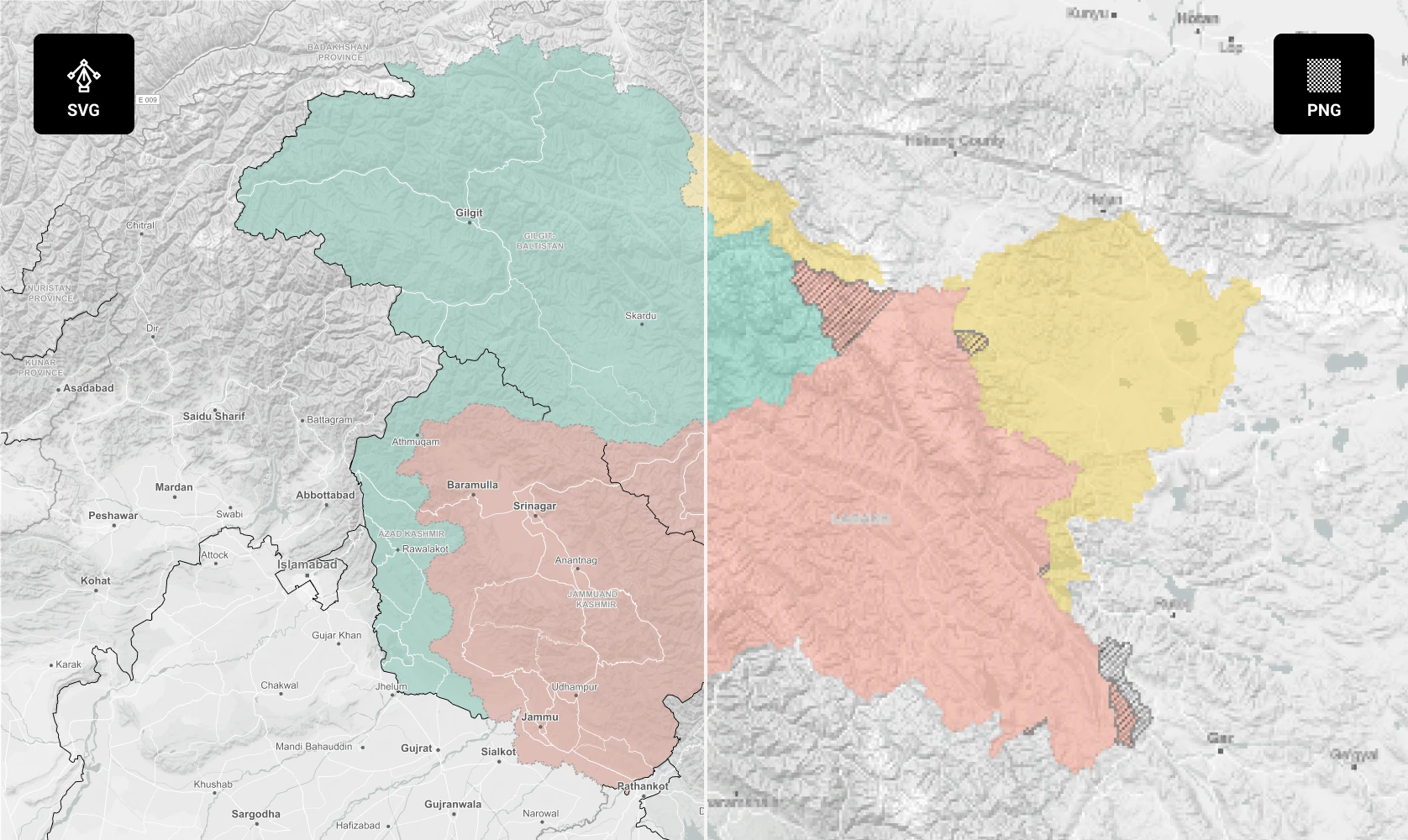





Effortless integration
Already using Mapbox or MapLibre? Add Mapcreator’s SVG rendering as the missing link in your setup. Convert your maps into precise, editable vectors directly from your own environment, with full control over how and where they’re displayed.
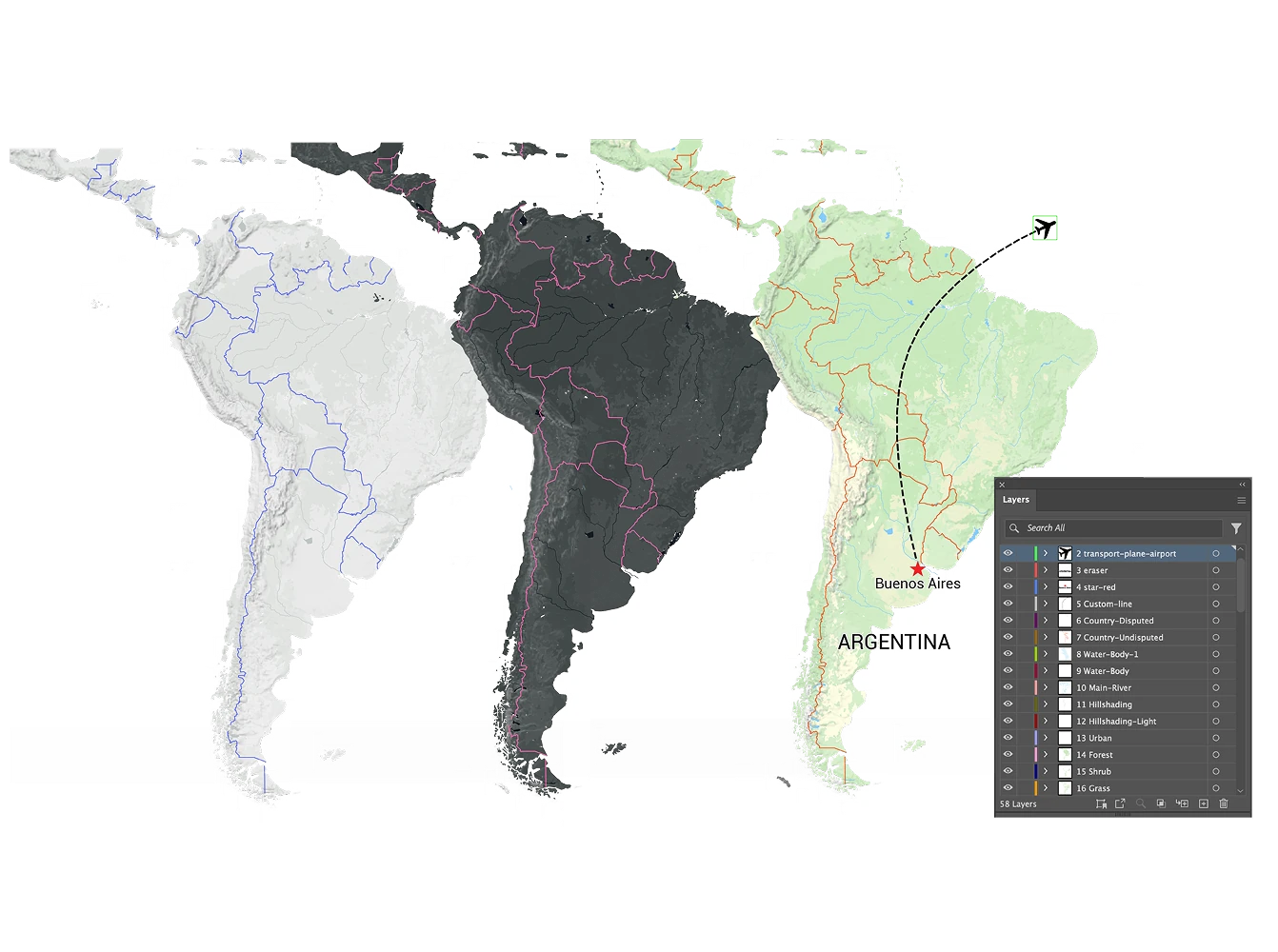
SVG Rendering as a Plugin
The SVG renderer transforms map output into clean, resolution-independent vectors that stay sharp at any scale. Every layer and shape remains editable, making it easy to fine-tune designs in Illustrator or embed lightweight graphics directly into your site.
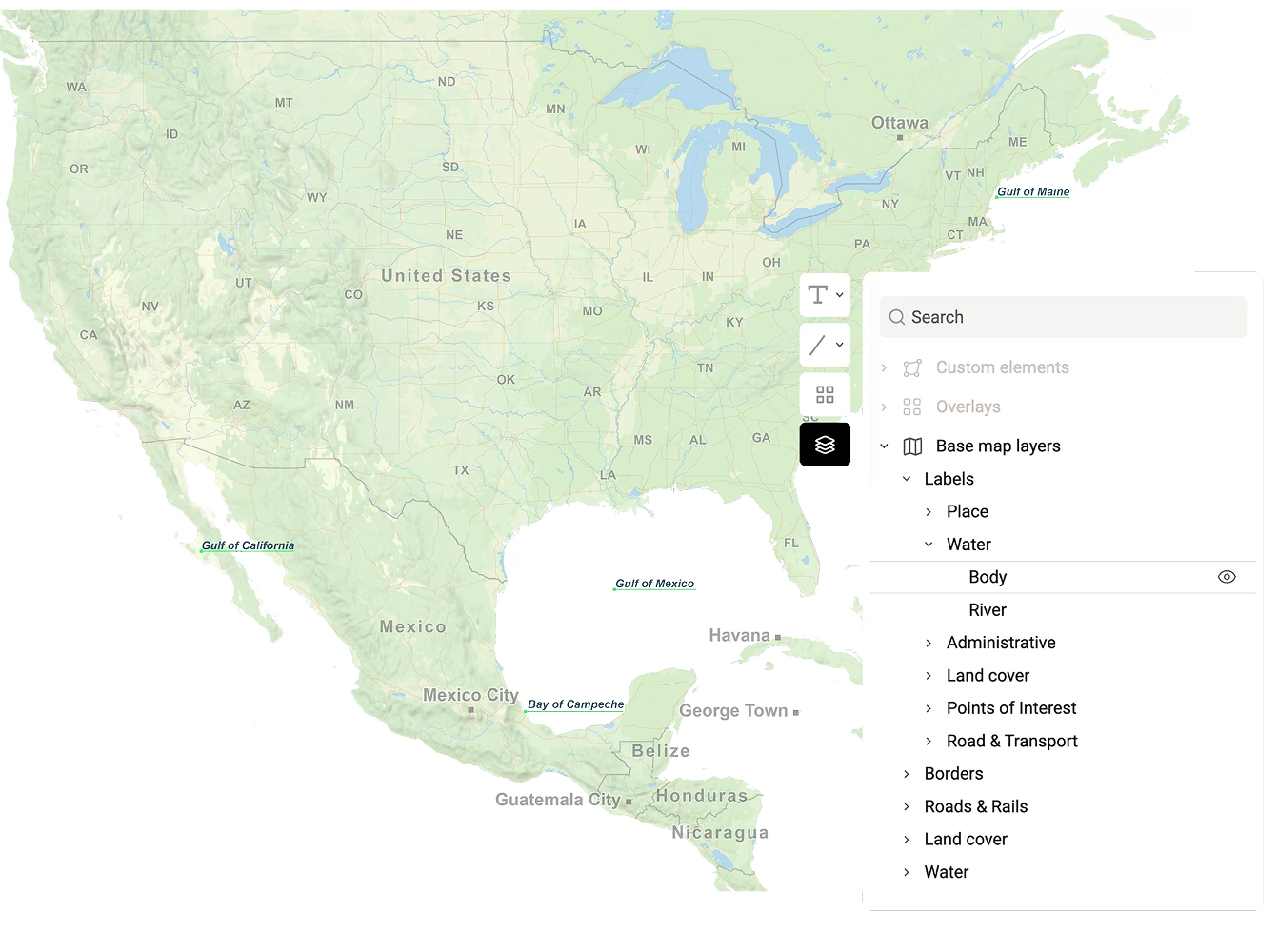
Edit with ease
Each SVG export is cleanly layered and easy to navigate, allowing quick adjustments to colors, fonts, and annotations. For even faster workflows, Mapcreator provides Illustrator scripts that automate common steps like converting RGB to CMYK or fixing text on curved paths.
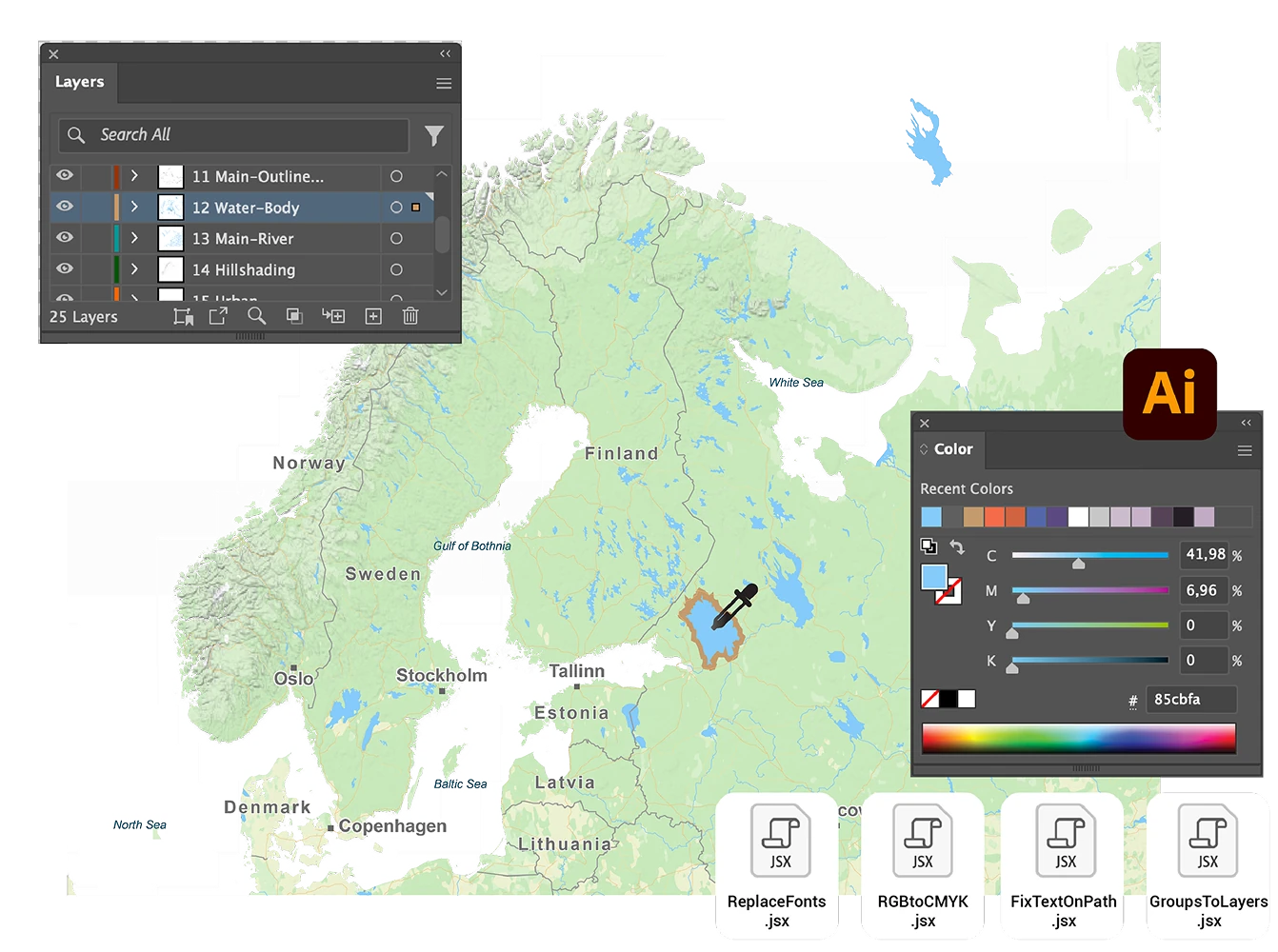
Work directly in Adobe
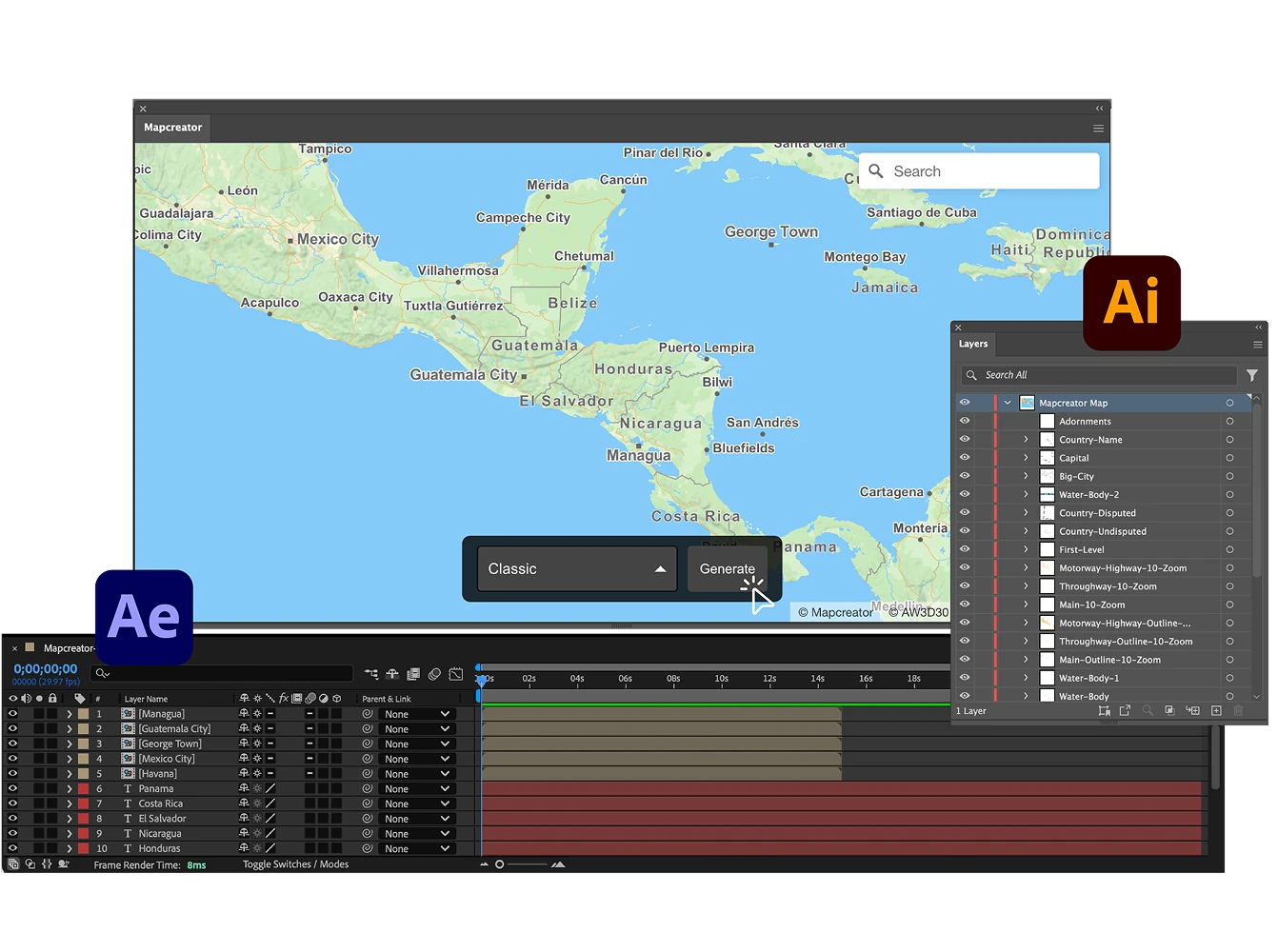
Prefer to work entirely in Adobe? Generate and refine vector maps right inside Illustrator and After Effects using Mapcreator’s extension. It’s a time-saving way to produce detailed, scalable maps without leaving your familiar design environment.
Map smarter now.
No spam, just high-quality mapping insights. Unsubscribe anytime.
Frequently asked questions
Got a question? Start with these essential FAQs, or explore our Knowledge Base for more Mapcreator guidance.
What does the SVG Render Plugin do?
The SVG Render Plugin adds Mapcreator’s vector rendering technology to your existing map setup. It turns digital maps into clean, scalable SVG files that stay sharp, lightweight, and editable across web, print, and design workflows.
Can I use the plugin with Mapbox or MapLibre?
Yes. The plugin is designed for teams already working with Mapbox or MapLibre. It adds SVG export capabilities to your existing environment, so you can keep your current setup while generating high-quality vector map output.
Are the SVG maps editable after export?
Yes. SVG maps remain layered and editable, so designers can adjust colors, fonts, labels, roads, borders, annotations, and other map elements in tools like Adobe Illustrator. This makes them useful for editorial graphics, reports, print layouts, and branded visual content.
Why use SVG instead of PNG or raster map exports?
SVG maps scale without losing quality, load efficiently, and stay crisp on every screen or print size. They are ideal when your team needs map graphics that can be resized, embedded, edited, or repurposed without pixelation.
How often is the map data updated?
Mapcreator tiles are based on OpenStreetMap data and are updated daily. This gives your team reliable, current map content for interactive maps, dashboards, editorial products, and location-based applications. Backed by nearly two decades of mapping expertise, Mapcreator combines fresh data with proven geospatial experience.